
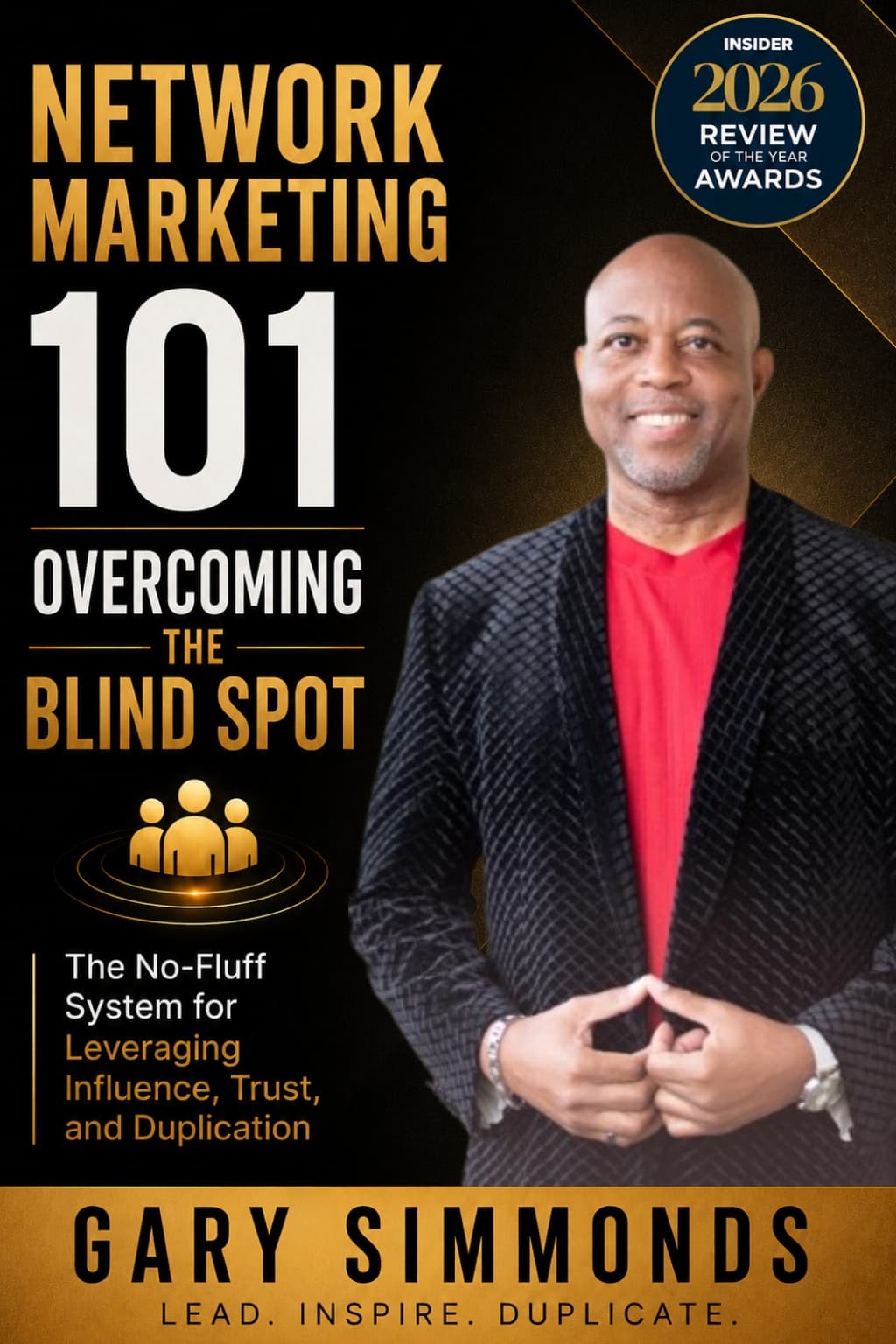
Book Funnel Software for Ebooks and Lead Magnets
Book funnel software makes it easy to deliver ebooks and lead magnets, collect emails, and create a smooth experience for your readers from start to finish.
An ebook can help you share useful information with potential customers without repeating the same explanation in every conversation. But once someone signs up to receive your guide, they need a simple way to get it. That’s where book funnel software can help. These tools deliver ebooks or audiobooks after a sign-up or purchase, and some connect the delivery process with your email platform. For network marketers, that could mean offering a product guide, a practical checklist, or an introduction to your business. This article explains what book funnel software does, which features to consider, and how to decide whether a service like BookFunnel fits your audience and workflow.
Key Takeaways
- Use book funnel software to deliver useful resources: Offer an ebook or audiobook as a lead magnet, bonus, or paid product, and pair delivery with the right email and checkout tools.
- Test the reader experience before sharing your link: Check downloads on different devices, provide clear instructions, and explain what readers are signing up to receive.
- Choose a plan that fits your campaigns and budget: Compare formats, integrations, download limits, support, and related platform fees before subscribing.
What Is Book Funnel Software?
Book funnel software delivers ebooks and audiobooks to readers after they sign up for a free resource or buy a book. It can also connect that delivery to the next step in your marketing process, such as sending a helpful follow-up email. For network marketers, this can make an ebook a practical way to share useful information and introduce readers to your products or business.
Deliver books after sign-up or purchase
After a reader submits a form or completes a purchase, book funnel software gives them a way to access the promised content. Instead of attaching a file to each email yourself, you can share a download link and let the service guide the reader through opening the book on their device. BookFunnel describes its service as a way to deliver ebooks and audiobooks across devices, with help available for readers who run into access issues.
You might offer a short guide as a lead magnet, such as a product-use checklist or an introduction to your business opportunity. A smooth delivery experience helps readers get value from the resource right away. Make sure the sign-up page explains what they’ll receive, and test the link on a phone as well as a computer before sharing it.
Separate delivery from email and checkout
Book funnel software can handle file delivery while other tools manage payments and email. For example, a storefront can process an ebook order, the delivery service can provide the file, and your email platform can send order updates or later messages. This setup can be useful if you already have a preferred storefront or email provider.
The key is to confirm how the tools work together before building your campaign. Check whether an order triggers delivery automatically, whether you need to connect platforms through an integration, and which steps require manual attention. Laterpress explains how BookFunnel can deliver books sold through external storefronts. Keep in mind that file delivery alone does not process payments or replace an email marketing platform.
Map the reader journey from sign-up to follow-up
Think beyond the download link and plan what happens next. A reader might sign up for a guide, receive it through a delivery page, and then get a relevant follow-up email. Some services can pass reader contact details to a mailing list; BookFunnel’s mailing integration is described by New Shelves Books as a way to add contacts to a list as they’re collected.
Before setting up that connection, decide what readers are agreeing to receive. Explain your email plans on the sign-up form, collect permission for promotional messages, and make it easy to unsubscribe. Then build a short follow-up sequence that relates to the resource, such as a practical tip or an invitation to ask questions. Clear expectations help keep the experience useful and respectful.
Which Ebook and Audiobook Features Matter?
If you use an ebook or audio resource to introduce people to your network marketing business, make the reader experience simple from the first click. Check that your delivery tool supports the files you create, gives readers clear instructions, and offers access settings that fit your campaign.
Check ebook formats and device compatibility
Your readers may open a guide on a phone, tablet, computer, or e-reader. Before choosing a delivery service, check which ebook formats it supports and whether readers can use those files on their devices. If you plan to include a PDF checklist or workbook with your ebook, confirm that the service can deliver both.
BookFunnel is a digital delivery service for independent authors that sends ebooks, audiobooks, and other digital files to readers. It may suit a network marketer sharing a training guide as a sign-up gift or a paid resource. Before promoting your download, test the file and link on a few devices. BookFunnel’s overview describes its digital delivery service.
Review audiobook access, playback, and file requirements
If you share an audio training or audiobook, check how listeners will access it and whether the playback features meet their needs. Options such as adjustable speed, bookmarks, a sleep timer, and custom skip controls can help readers listen at a pace that works for them.
Review accepted audio formats and file-size limits, too. Find out whether listeners can stream, download, or choose between the two. BookFunnel’s app listing includes playback features such as adjustable speed, bookmarks, download-quality options, skip controls, and a sleep timer. Try the listening experience yourself before adding audio to a campaign, and review the BookFunnel app listing for its listed features.
Simplify links and download instructions
A reader should know exactly what to do after signing up or making a purchase. Use a clear button or link, such as “Get your guide,” and explain whether they need to open a link, enter an email address, or install an app. Keep instructions brief, and tell readers where to get help if something goes wrong.
Check what happens if the delivery email is missed or sent to spam. BookFunnel readers can access books through BookFunnel Cloud or its app, and can sign in to their library if an email does not arrive. Its reader help page covers common access questions. Test the process from sign-up to download so you can spot confusing steps before sharing your resource.
Control access while recognizing files can still be shared
Access settings can help you decide who receives a file and how long a link remains available. Depending on the service and plan, you may find options such as private links, expiration dates, download limits, watermarks, or access for current subscribers. These can be useful for a preview, a team resource, or material created for a specific campaign.
Keep in mind that someone may still copy or share a file after downloading it. Access controls cannot guarantee that digital content stays private, so avoid including sensitive customer or business information in a downloadable resource. BookFunnel says it does not add readers to its mailing list or show them unwanted ads, and describes access controls on its website. Review the settings available to you and choose protections that fit the content you share.
How Does BookFunnel Support Reader Campaigns?
A reader campaign can include a free book, an advance copy, or a bonus download. Whatever you offer, readers need a clear path from discovering it to opening it on their device. BookFunnel handles digital file delivery for ebooks, audiobooks, and other content, helping authors spend less time resolving download problems. Its author tools also support reader magnets, private links, and group promotions.
BookFunnel focuses on delivery, so plan the rest of the campaign too. Decide what readers will receive, how you’ll collect their email addresses, and what follow-up messages you’ll send. If you’re working with other authors, agree on the offer and promotion details before sharing links. Then test the full process yourself, from sign-up to download. A smooth experience helps readers get the content they came for and understand what to expect next.
Deliver reader magnets and connect sign-ups to email services
A reader magnet is a free digital item, such as a sample chapter, short story, or bonus book, offered to encourage readers to join your mailing list. BookFunnel can deliver the file and connect sign-ups with an email service, linking the download step with your list-building process.
Before sharing the offer, check that your sign-up form clearly explains what readers are agreeing to receive. Test the process with your own email address: confirm that you’re added to the right list and that the delivery instructions arrive. A short welcome email can then provide the download link, explain what kind of messages subscribers can expect, and give them a simple way to manage their preferences.
Share ARCs and beta copies through private links
Advance review copies (ARCs) and beta copies let you share a book with selected readers before publication. BookFunnel offers unique, private links for distributing these files, which can make it easier to manage a review or feedback campaign without posting a public download page.
Before sending a copy, tell recipients what you’re asking them to do. For example, explain whether you’d value feedback, an honest review, or simply their early readership. Include any deadline and instructions, and choose access settings that suit the project. Private links help limit access to intended recipients, but they can’t guarantee that a digital file won’t be copied or shared. Keep requests clear and participation voluntary.
Distribute bonus content, promo downloads, and group promotions
BookFunnel can deliver bonus material such as a companion story, deleted scene, or reader guide. These extras can give readers a reason to visit your campaign page or join your mailing list. The platform also supports author swaps and group promotions, where authors share one another’s books with their existing audiences.
Before joining a promotion, agree on the details with the other authors. Decide which book or bonus you’ll offer, when the campaign will run, and how readers will get the file. Describe the offer accurately and choose books that are likely to interest the same audience. A relevant selection can attract readers who want to hear from you, while a collection of unrelated offers may bring sign-ups that don’t match your work.
Set clear consent and privacy expectations
Make the terms of each offer clear before readers sign up. If joining your mailing list is required to receive a reader magnet, say so on the sign-up page and describe the emails subscribers can expect. Don’t treat a file request as permission to send unrelated marketing messages. Keep your form focused, and provide a straightforward way for readers to unsubscribe or manage their preferences.
BookFunnel says it doesn’t add readers to its own mailing list or show them unwanted ads. Authors can use access controls such as private links, expiration dates, download limits, watermarks, and access limited to current subscribers. Choose settings that fit the content, and explain any relevant limits to readers. These controls help manage access, but they can’t prevent every possible copy or share of a digital file.
Reduce your workload with reader-facing download and device support
A reader who can’t open a file may need help with access, downloads, or transferring an ebook to a device. BookFunnel says its support team helps readers with these issues and also assists authors. The company describes reader support as available every day of the year, which can reduce the time you spend answering routine technical questions during a campaign.
Test the process before you send the link to your full audience. Open it on a phone and a computer, follow the instructions as a reader would, and check that the file opens as expected. Keep your campaign email simple: include one clear download link and tell readers where to get help if they run into trouble. Clear instructions and reader support make it easier for people to access what you’re offering.
Can BookFunnel Fulfill Direct Sales?
Yes. You can sell ebooks or audiobooks through a storefront such as Shopify or Payhip and use BookFunnel to deliver the files. This setup lets you choose how customers place and pay for an order while using a service designed to help readers access digital books. The key is to know which tool handles each part of the sale and test the process before sharing your product link.
Deliver files for storefront orders
After a customer buys your book through an external storefront, BookFunnel can provide a link for downloading or accessing the file. Laterpress’s comparison of BookFunnel and Laterpress reports that BookFunnel plans include direct-sale fulfillment with watermarked files. A watermark may help identify a file if it is shared, but it cannot guarantee that the file will stay private.
Before launching, confirm that your storefront and BookFunnel are set up to deliver the correct title after an order. Then place a test order and follow the delivery instructions as a customer would. Check the email, link, and download steps on a phone as well as a computer, so you can catch confusing instructions before readers do.
Separate fulfillment from checkout and payment processing
BookFunnel handles file delivery, but it does not replace your storefront’s checkout or payment processor. The storefront takes the order and processes payment; BookFunnel helps the customer access the ebook or audiobook afterward. This division can suit authors who want to choose their own sales platform while using a separate tool for book delivery.
Make the handoff clear for readers. Let them know where they’ll pay, how they’ll receive the book, and where to ask for help if they have trouble opening it. Indie Author Magazine’s overview of BookFunnel describes how separating checkout from fulfillment can streamline the experience for authors and readers. Test the full journey before promoting a title, including the order confirmation and delivery message.
Account for sales tax, processing fees, and storefront costs
BookFunnel is one part of the cost of selling directly. Your storefront may charge a subscription or transaction fee, and your payment processor may take a fee for each sale. Depending on where you and your customers are located, you may also need to account for sales tax. Include these costs when setting your price so you understand how much revenue remains after each order.
Fees and tax rules vary by platform and location, so check the current terms for your storefront and payment provider. For tax questions, consult official guidance for the places where you sell or speak with a tax professional. Laterpress’s comparison also advises authors to consider storefront fees and applicable sales tax when using BookFunnel for direct sales.
Confirm the integrations your sales and email workflows need
Before choosing your setup, write down what should happen after a customer places an order. You may want BookFunnel to send a delivery link, for example, and your email service to add the buyer to a list if they have agreed to receive marketing messages. Check whether the tools you use support the connections you need, and confirm what information each integration shares.
BookFunnel supports integrations with email marketing services, which can help authors add reader contacts to mailing lists, according to Reedsy’s BookFunnel review. Review the integration settings and test them with a sample order before going live. Make sure readers can tell the difference between messages needed to deliver their purchase and optional marketing emails, and collect consent before adding them to a promotional list.
How Does BookFunnel Compare With Other Tools?
Compare delivery tools with email platforms like MailerLite
BookFunnel and MailerLite have different jobs. BookFunnel delivers ebook and audiobook files, while MailerLite helps you collect subscribers, send campaigns, and automate email follow-ups. You might use a sign-up form to invite readers to get a free book, then send them to BookFunnel to download it. MailerLite can then send a welcome sequence or updates about your next release.
This setup works well when you want to grow an email list while offering a reader magnet. BookFunnel handles file access, but it isn’t a replacement for an email marketing platform. Compare BookFunnel with other delivery options to see how its role differs from broader marketing tools.
Match each tool to its role: delivery, email automation, or checkout
A sales workflow may use separate tools for checkout, delivery, and email. A storefront such as Shopify or Payhip processes the order and payment. BookFunnel sends the purchased file to the reader. An email platform can manage newsletters and follow-up messages, depending on your setup and integrations.
Before choosing tools, write down each step a reader takes: where they find your book, where they sign up or pay, how they receive the file, and what happens next. This makes gaps easier to spot. Authors selling through an external storefront can use BookFunnel for file delivery, as explained in Laterpress’s comparison of BookFunnel and distribution platforms.
Review format support, integrations, and workflow limits
Start by checking that a tool supports the formats you publish, including ebooks, audiobooks, or both. Then review plan limits that could affect your workflow, such as monthly downloads, file types, and options for collecting reader email addresses. Features vary by plan, so compare the current details with your release schedule and audience size.
Check integrations with your storefront and email service, too. Some connections may require additional setup or a higher-tier plan. A BookFunnel plan review describes features such as ebook delivery, MP3 distribution, advance reader copy delivery, and group promotions. Confirm current plan terms with the provider before deciding which features you need.
Weigh ease of use, reader support, and possible technical or app-navigation issues
Test the reader experience yourself on a phone, tablet, and computer. Open the delivery link, follow the instructions, and make sure the file opens or plays as expected. Pay attention to steps that may confuse someone new to ebooks or audiobooks, such as choosing a reading app or moving a file to a device. Clear instructions can reduce reader questions.
Support matters when a reader can’t download or open a file. Responsive help may save you time and make the experience smoother for your audience. BookFunnel describes support for both authors and readers on its author information page. Review the current support options, then consider whether they fit your readers’ needs and the level of help you want to provide.
Is BookFunnel Worth the Price?
BookFunnel may be worth the cost if it makes it easier to deliver ebooks or audiobooks and cuts down on reader support. To decide, match the plan’s limits and features to the campaigns you actually run, then account for the rest of your marketing tools.
Compare current prices, features, and download limits
BookFunnel’s author pricing page lists three paid plans. The First-Time Author plan is $20 per year and includes up to 500 ebook downloads per month. The Mid-List Author plan is $200 per year, with up to 5,000 downloads per month. The Bestseller plan is $300 per year and includes unlimited downloads.
Consider how many readers you expect to reach through a reader magnet, promotion, or book launch. If your campaigns are small and you only need ebook delivery, the entry plan may be enough. If you share books often, or manage several pen names, compare the higher limits and features against your likely use. Plan prices and terms can change, so check BookFunnel’s pricing page before you subscribe.
Check which plans include audiobook delivery, reader magnets, ARCs, and direct-sale fulfillment
Download limits are only part of the decision. Check whether the plan supports your formats and the ways you plan to share your books. BookFunnel describes the Mid-List Author plan as including MP3 distribution, email collection, mailing list integration, and secure delivery for advance reader copies (ARCs). The First-Time Author plan includes ebook delivery and landing pages, but does not collect email addresses.
BookFunnel can also deliver reader magnets and files for direct sales, but confirm the plan requirements for each workflow before signing up. If you’ll share audiobooks, recruit early reviewers, or deliver paid purchases, make sure the features you need are included. Review the plan details and note any limits that matter to your campaigns, such as the number of pen names or monthly downloads.
Weigh the cost against reader support and the features you’ll use
The annual fee may make sense if BookFunnel helps readers get their files with fewer questions and less troubleshooting from you. That can be especially useful when you’re offering an ebook as a lead magnet: a smooth delivery experience helps you keep your focus on follow-up and relationship-building. Reedsy’s BookFunnel review highlights the platform’s delivery experience and author support.
Before choosing a plan, list the features you’ll use regularly. Occasional ebook delivery may not call for the same plan as frequent campaigns with audiobooks, ARCs, or group promotions. Also consider the time you currently spend sending files and helping readers with downloads. If the tool saves meaningful time and supports campaigns you already run, the yearly cost may be easier to justify.
Include email, storefront, and payment-processing costs
BookFunnel delivers files, but it may not replace the tools you use to collect payments, manage subscribers, or send follow-up emails. For a free reader magnet, you may need an email platform to capture contacts and send a welcome sequence. For a paid ebook, your storefront handles the order, while BookFunnel can deliver the file.
Add these related expenses to your budget: email marketing software, a storefront plan, and payment-processing fees. The exact costs depend on the services you choose and how many sales you make. Laterpress outlines a different approach in its comparison with BookFunnel, where checkout and delivery options vary by platform. Compare the full workflow, not just the delivery fee, so you can see whether a tool adds useful features or overlaps with services you already pay for.
Verify current trials, discounts, and promotions with the provider
Before subscribing, check BookFunnel’s pricing page for current prices, billing terms, and promotions. Indie Author Magazine reports that BookFunnel does not offer a free trial or demo, and that its entry-level plan costs $20 per year. Those details may change, so confirm them directly with the provider before making a decision.
If there’s no trial available, test the workflow in other ways. Review BookFunnel’s help materials, confirm that your file formats and email integrations are supported, and estimate how many downloads your campaigns may generate. If you have a specific use in mind, such as delivering an audiobook bonus or sending an ARC, ask BookFunnel whether the plan you’re considering supports it. A little research can help you choose a plan that fits your reader campaigns and budget.
How Should You Choose Book Funnel Software?
If you plan to use an ebook as a lead magnet, choose software that makes it simple for prospects to get the book and easy for you to manage delivery. Test the reader journey, check how the tool fits your email and sales systems, and compare the features with your budget.
Test the reader experience from link to download or listening
Walk through the delivery process as if you were a new prospect. Open the link on a phone and a computer, follow the instructions, and check that the file opens as expected. Look for confusing steps, extra app requirements, or anything that could stop someone from getting to your content.
BookFunnel offers readers access through its cloud reader and app. Try the options that match the formats you plan to share, whether you’re offering an ebook, audiobook, or both. You can also ask a few people to test the process and tell you where they get stuck. The BookFunnel reader help guides show how readers access their books and troubleshoot common issues.
Confirm integrations, privacy settings, and support fit your workflow
Make a list of the tools you use to collect leads, send emails, and take payments. Then check whether the BookFunnel plan you’re considering connects with the services your workflow depends on. Confirm what information transfers between platforms and whether you’ll need to set up the connection yourself.
If readers provide an email address to receive a free book, explain clearly what they’re signing up for. Review how subscriber information is handled, and make sure your email platform supports consent and unsubscribe requests. Reader support also matters: clear troubleshooting help can reduce friction when a prospect has trouble accessing a download. Explore BookFunnel’s author tools and reader help center to see what resources are available.
Choose an affordable plan and reassess as your catalog grows
Start with the features you need now. Check whether the plan supports your book formats, lead magnets, audiobook delivery, advance reader copies, direct sales, and required integrations. Review any limits on titles, downloads, or other usage, so you know what to expect as your audience grows.
Plan details and prices can change, so check BookFunnel’s current options before setting your budget. Published reviews can help you understand the differences between plans, but confirm pricing and features with the provider. For example, Reedsy’s BookFunnel review discusses plan costs and integrations. Include related expenses such as email marketing, storefront fees, and payment processing. Revisit your choice as your catalog expands, and upgrade only when a paid feature solves a real need.
Frequently Asked Questions
Can network marketers use BookFunnel, even if they aren’t authors?
Yes. You can use it to deliver a digital guide, product resource, or audio training. Just make sure the content is useful to your audience and clearly explains what readers will receive.
Does BookFunnel collect leads or send marketing emails?
BookFunnel can support email list connections on eligible plans, but it isn’t a full email marketing platform. You’ll need an email service to manage newsletters and follow-up campaigns. Tell people what emails they’re signing up for, and get their permission before sending promotional messages.
Can I use BookFunnel to sell an ebook directly?
BookFunnel can deliver a file after someone buys it, but you’ll need a storefront or checkout tool to take payment. Check that your services connect properly, then place a test order before sharing your sales page.
What should I test before sharing a book or guide?
Open the delivery link on a phone and a computer, and check that the file works as expected. Follow the steps as a new reader would, including any email instructions or app requirements. This helps you catch confusing details before your audience does.
How do I know which BookFunnel plan is right for me?
Start with the formats and features you plan to use, then compare them with each plan’s download limits and cost. Include the price of any email, storefront, or payment services your campaign also needs. Confirm current plan details with BookFunnel before subscribing.